
User-owned by design
Encrypted SQLite is the source of truth. The default service boundary is your local machine, not a hosted account.
HEXTEK / OPEN SOURCE MEMORY
Give your AI assistants context that lasts. Solo keeps your memory in an encrypted local database, finds relevant information with local semantic recall, and shares one user-owned library with MCP-capable clients such as Claude, Codex, and Cursor.
01 / BUILT FOR REAL WORK
From a useful fact to a connected body of knowledge. Keep the context that makes your assistants useful.
Encrypted SQLite is the source of truth. The default service boundary is your local machine, not a hosted account.
Local semantic search brings back decisions, preferences, and project context when a new conversation needs them.
Ingest, search, and inspect source documents alongside conversational memory while retaining their provenance.
MCP over stdio or Streamable HTTP lets supported assistants work from the same continuity layer.
02 / HOW MEMORY WORKS
Solo gives connected assistants a shared source of context. Its layers have distinct jobs, so you can choose how much intelligence to add.
MEMORY LIBRARY
Save a preference, a project decision, or a useful moment. Each memory is a record you can inspect and correct. One local library holds your memories, documents, and logical projects.
LOCAL SEMANTIC SEARCH
Find the relevant context even when the wording changes. Official desktop installers bundle the semantic model, so core recall runs locally without an API key, Ollama, or a first-use model download.
OPTIONAL STEWARD
Enable a generative model to turn related memories into themes, facts, relationships, and possible contradictions. The Steward is a separate, optional layer; basic storage and recall work without it.
Recall and knowledge extraction are different. Without a Steward model, Solo can store, search, and cluster memories. Generated themes, facts, relationships, and contradiction detection need an enabled model. Local Ollama is an option; hosted processing requires explicit consent.
03 / EVERYDAY CONTINUITY
A few ways a shared memory library can support your work. These are example prompts, not recorded conversations.
PROJECT CONTINUITY
Bring earlier decisions and their context into a new session, even when you switch to another connected assistant.
PERSONAL PREFERENCES
Keep the working preferences you deliberately save available across projects and conversations.
DOCUMENT KNOWLEDGE
Search ingested documents and inspect the relevant chunks, metadata, and retained sources alongside your memories.
04 / SOLO DESKTOP
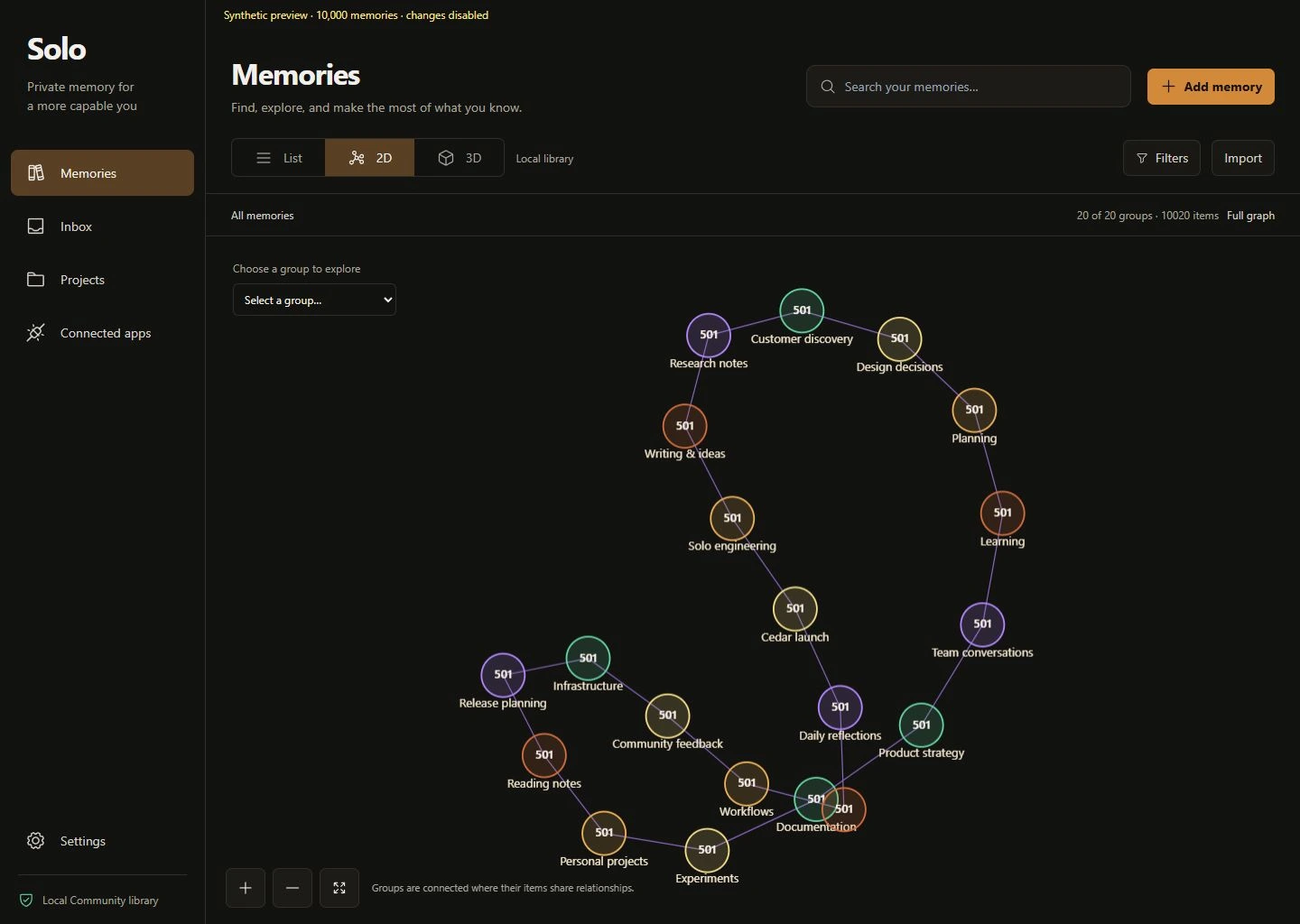
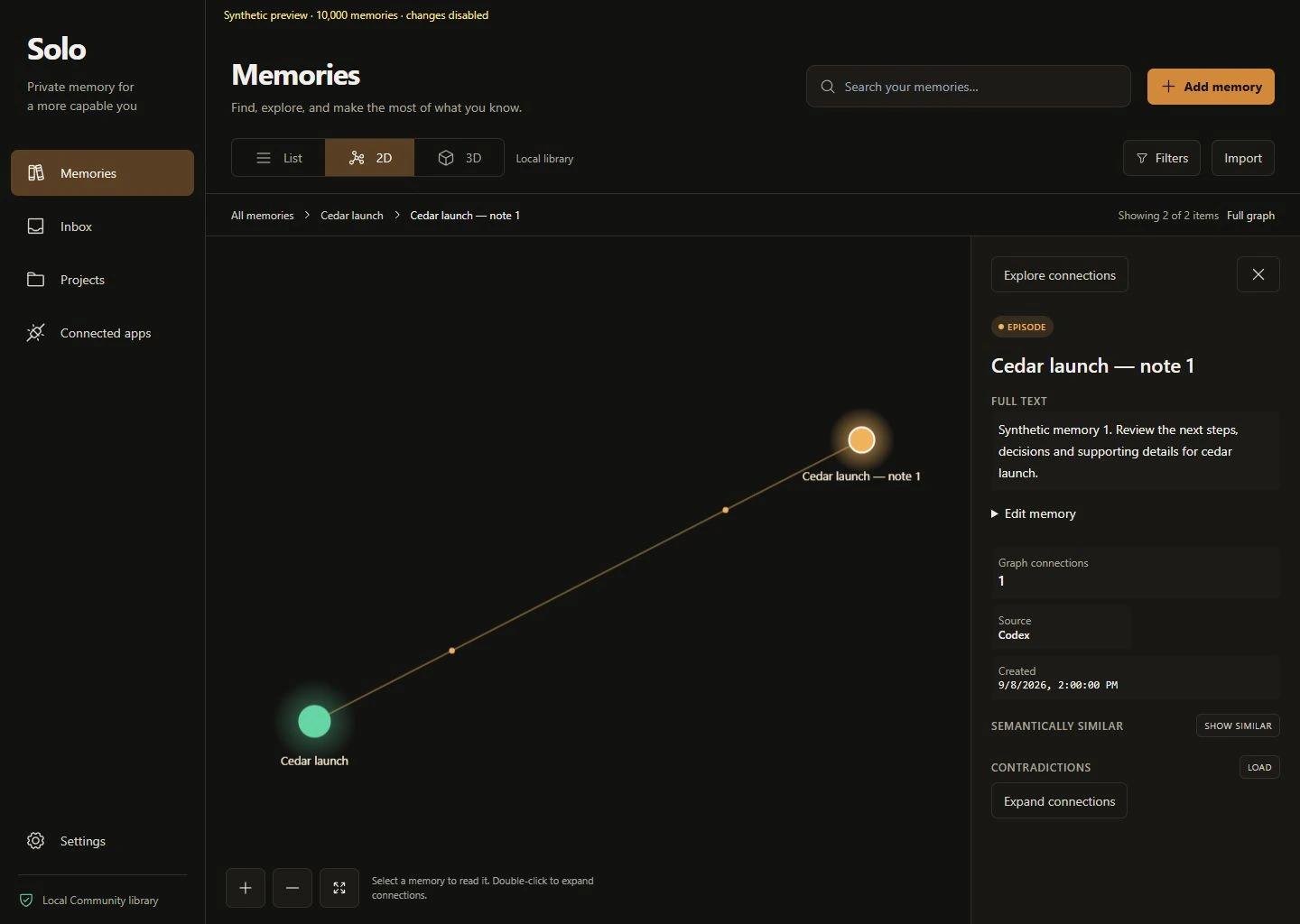
Community ships Core and Solo Desktop, including an embedded web interface. Work with your library directly instead of relying on an assistant to tell you what it remembers.
05 / OWNERSHIP & PRIVACY
Local ownership is a concrete storage and processing choice. Know where your memory lives and which systems you connect to it.
The canonical memory database uses SQLCipher, with a key derived from your passphrase. Solo also maintains local indexes and retained application files beside the database.
The HTTP service defaults to your machine’s loopback address. MCP lets compatible clients access the same library through a local subprocess or Streamable HTTP.
Core semantic recall is local. Optional hosted Steward providers process selected memory off-device only with consent. A connected cloud assistant may also receive the context it retrieves from Solo.
Inspect records, update outdated information, and forget memories. Forgetting is a soft delete; it should not be described as secure erasure of every retained copy.
Designed for one user on a trusted local machine. Solo has not completed an independent security audit. Read the security policy and documented security boundaries.
06 / THE SOLO EDITIONS
Community is the complete open-source local product. Solo Pro is being developed separately.
AVAILABLE / OPEN SOURCE
A complete local memory stack you can use, inspect, modify, and build on.
IN DEVELOPMENT
A separate edition under active development. Community’s public documentation describes paid editions as separate private implementations built on pinned public Core and Web commits.
Pro features, availability, and pricing are not announced here. Community is usable in its own right today.
Community has a single library. Database switching, tenant or profile administration, a chat-agent runtime, hosted connectivity accounts, paid automation, and organization controls are outside its scope. See the edition boundaries.
THE WORKFLOW
Capture what matters, bring it back when it is useful, and keep the library under your control.
An assistant stores a durable fact, preference, decision, or project event through Solo's memory tools.
Solo indexes the episode locally and can consolidate memories into themes, facts, relationships, and contradictions.
A future assistant asks for bounded context and receives the most relevant evidence instead of a blank slate.
Memories can be inspected, corrected, reviewed, or forgotten from the same user-owned library.
START HERE
Choose the Windows setup EXE or the Ubuntu 24.04 x86-64 DEB from the latest release. Both include the local semantic model. The Windows installer includes Solo Desktop and the CLI, and does not require administrator access or a Rust toolchain. Open a new terminal after installation, initialize your library, and check your setup.
Download Solo Communitysolo init
solo doctor
solo daemon --http-port 17821
# For an MCP client that launches Solo:
solo mcp-stdioFull installation guide A FEW MORE DETAILS
Solo is a memory system that connects to assistants. It gives an MCP-capable client tools to store and retrieve context; Community does not include a chat-agent runtime.
Not for core semantic recall with the official Windows or Ubuntu desktop package. The bundled embedding model works locally. Optional knowledge extraction needs a generative model, which may run locally or through a hosted provider you explicitly enable.
Yes. MCP-aware clients can connect to the same user-owned library. The repository names Claude Desktop, Claude Code, Cursor, and Codex among its intended clients, and documents tested support for Claude Desktop, Claude Code, and Cursor. Each client still needs to be configured to use Solo.
Memory is written through Solo’s tools and integrations. Do not assume that merely installing Solo captures every chat: configure your client and tell your assistant what should be remembered or retrieved.
Community supports unlimited memories, documents, and logical projects within one encrypted Memory Library. Your available storage and hardware remain practical limits. Switching between separate memory databases is outside Community’s scope.
Solo exposes record inspection, document chunks, source metadata, and provenance tools. Its optional derived layer connects themes, facts, and relationships to supporting memory. This helps you examine evidence; it does not make every model inference automatically correct.
Use the Windows setup EXE or the Ubuntu 24.04 x86-64 DEB for the documented desktop installation paths. Other prebuilt archives are available for terminal-first users. Check the current release notes before choosing a package.
Solo Pro is under development. There is no release date or pricing announced on this page. Follow the Hextek community for updates; the open-source Community edition is available independently.
Community details checked against the project README, editions guide, and security policy on 8 September 2026. Release downloads always point to the latest published release.